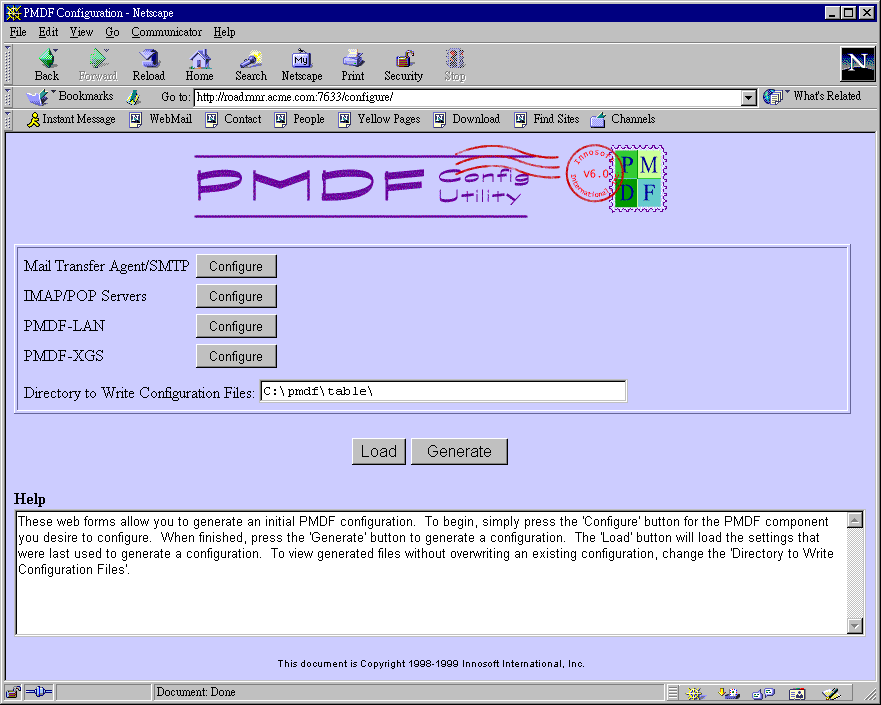
Figure 6-4 shows the PMDF web-based configuration utility main menu,
as seen at the beginning of a configuration session. The utility will
write files generated during configuration to the directory shown in
the "Directory to Write Configuration Files". The default is
C:\pmdf\table, the live configuration directory. If you
wish to experiment with configuration rather than generate live files,
you may specify an alternate directory.
Begin the PMDF-MTA/SMTP configuration by clicking the Mail Transfer Agent/SMTP "Configure" button.
Figure 6-4 Configuration main page