Figure 12-1 HTTP server regular main page
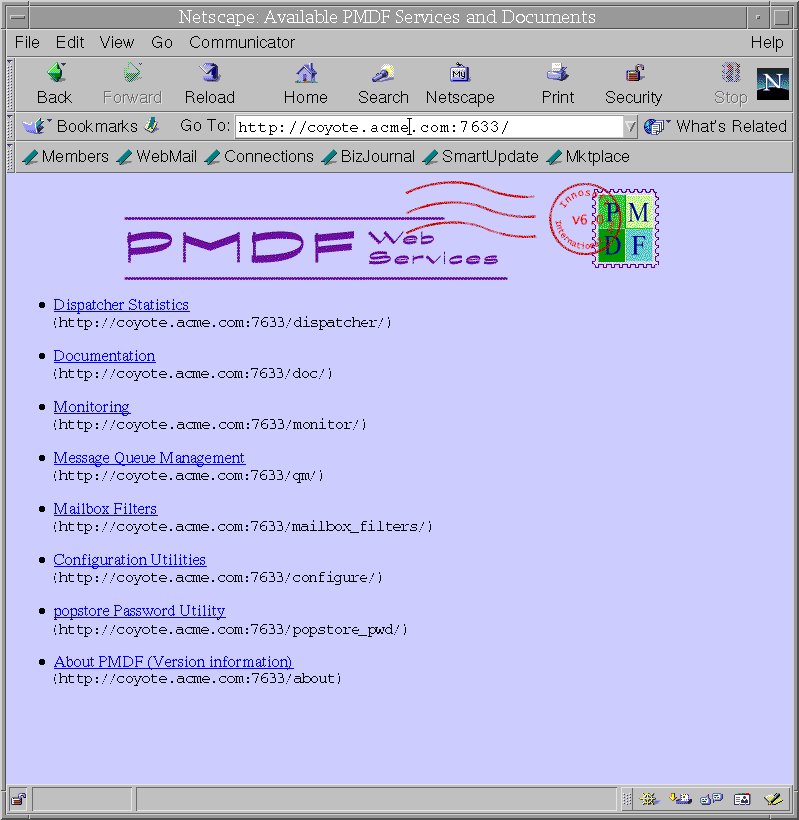
Figure 12-1 shows the PMDF HTTP server main page; select the "Configuration Utilities" link to begin a PMDF configuration session.
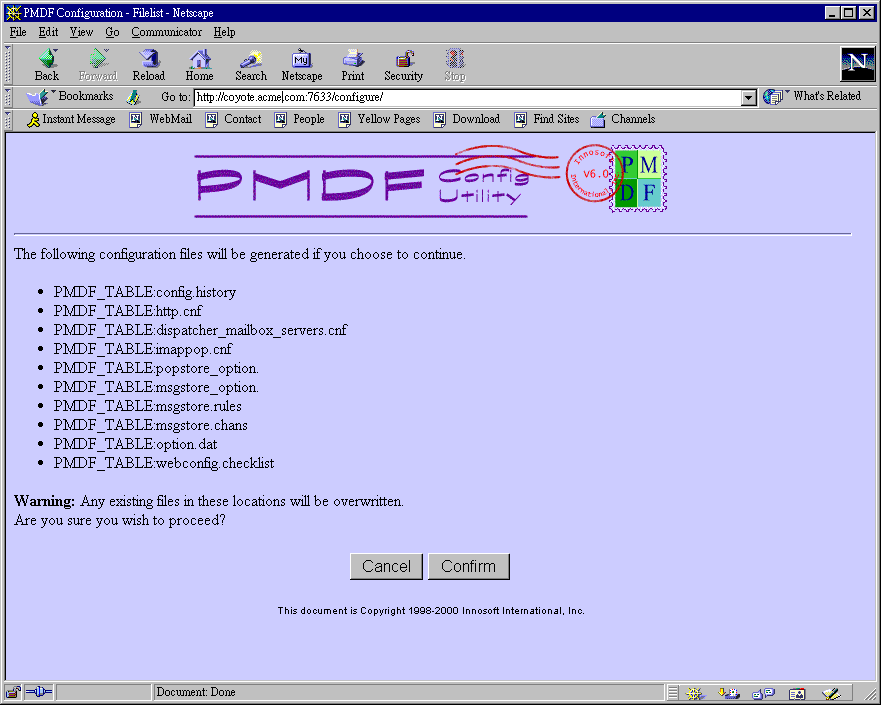
Figure 12-2 through Figure 12-7 show a sample PMDF mailbox servers configuration session using the web-based IMAP/POP mailbox servers configuration utility, and Example 12-1 shows a corresponding sample checklist file. The sample site ACME.COM is as described in Figure 6-1 .
Remember that the values entered in this sample are for purposes of example only. Be sure to use the values appropriate for your system when you perform the actual configuration.
Figure 12-2 Configuration main page
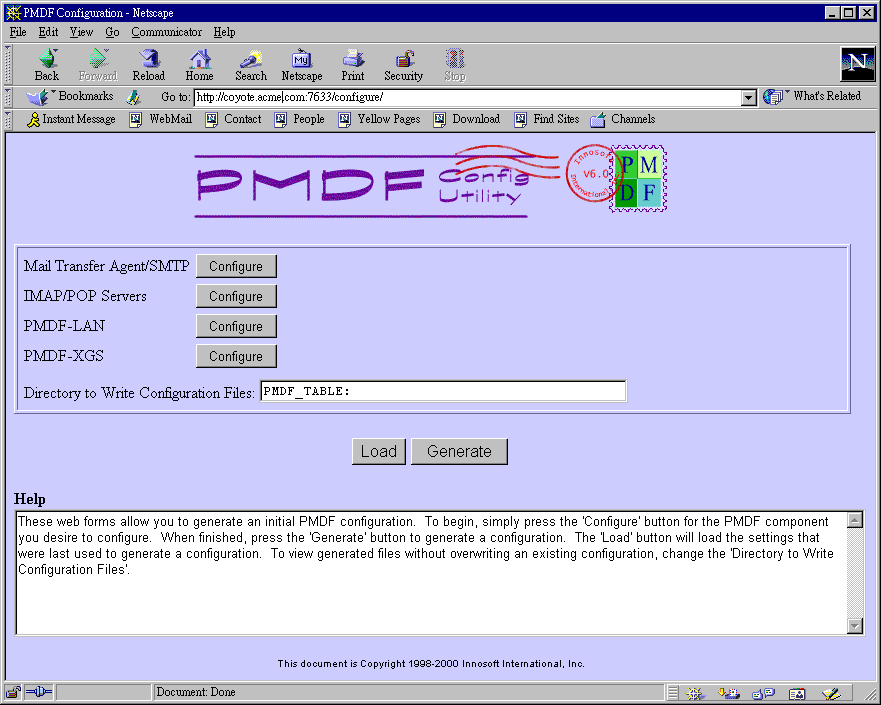
Figure 12-3 IMAP/POP configuration, select servers
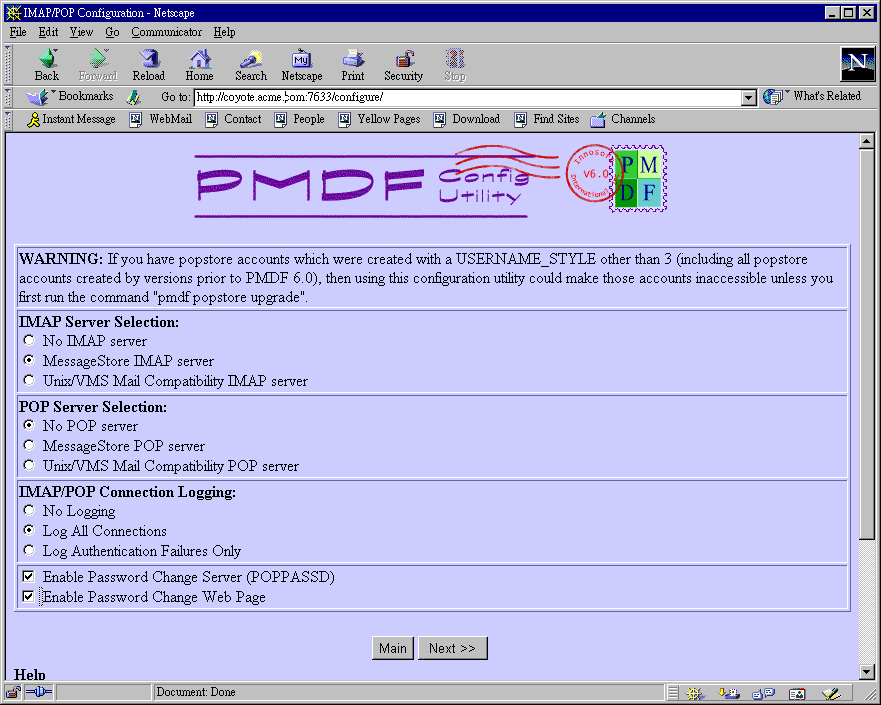
Figure 12-4 IMAP/POP configuration, popstore/MessageStore information
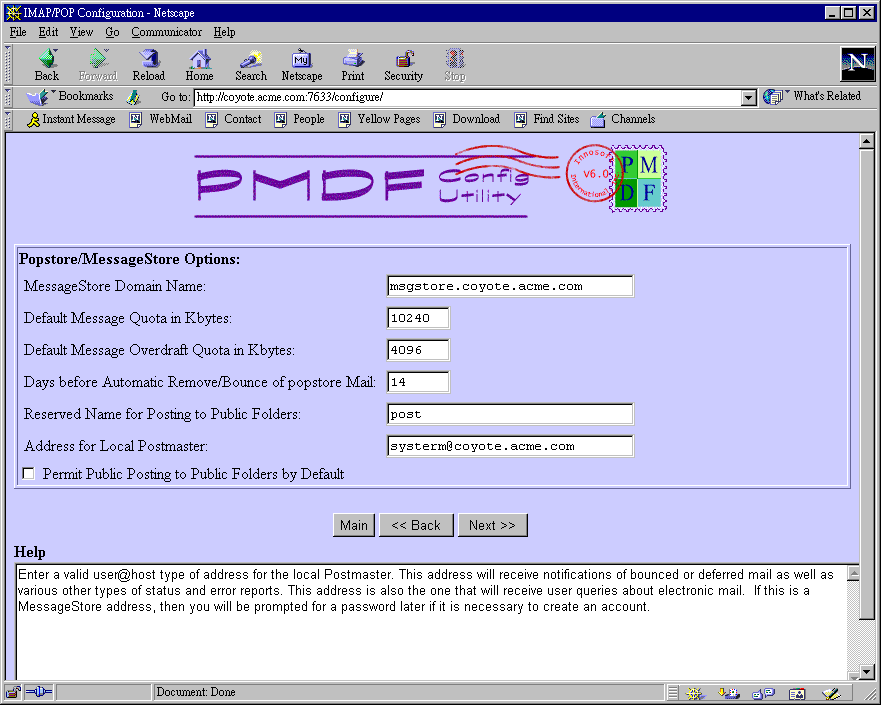
Figure 12-5 IMAP/POP configuration, server information
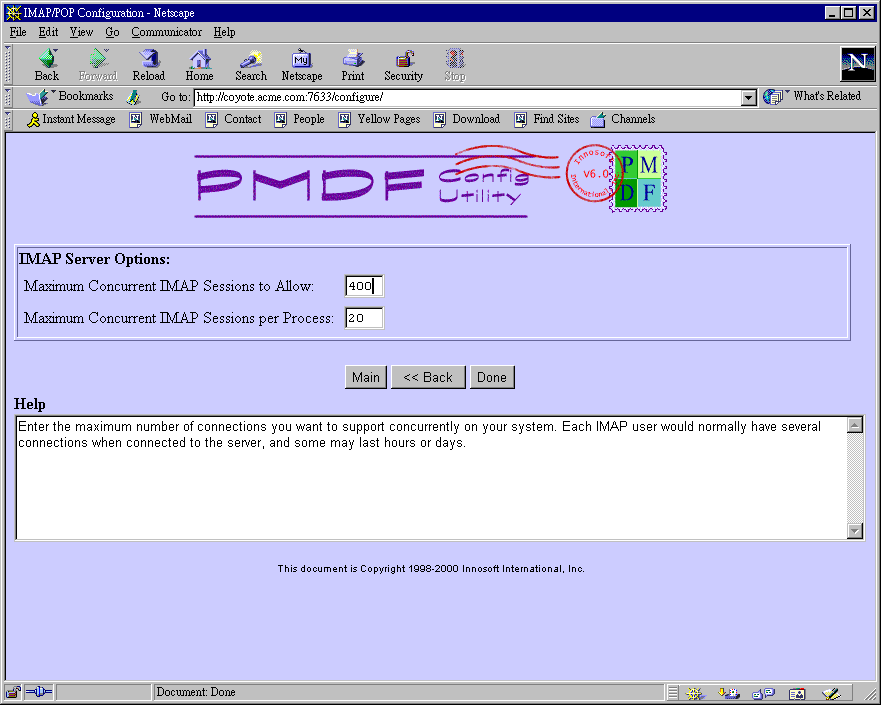
Figure 12-6 Configuration main page, IMAP/POP configuration entered
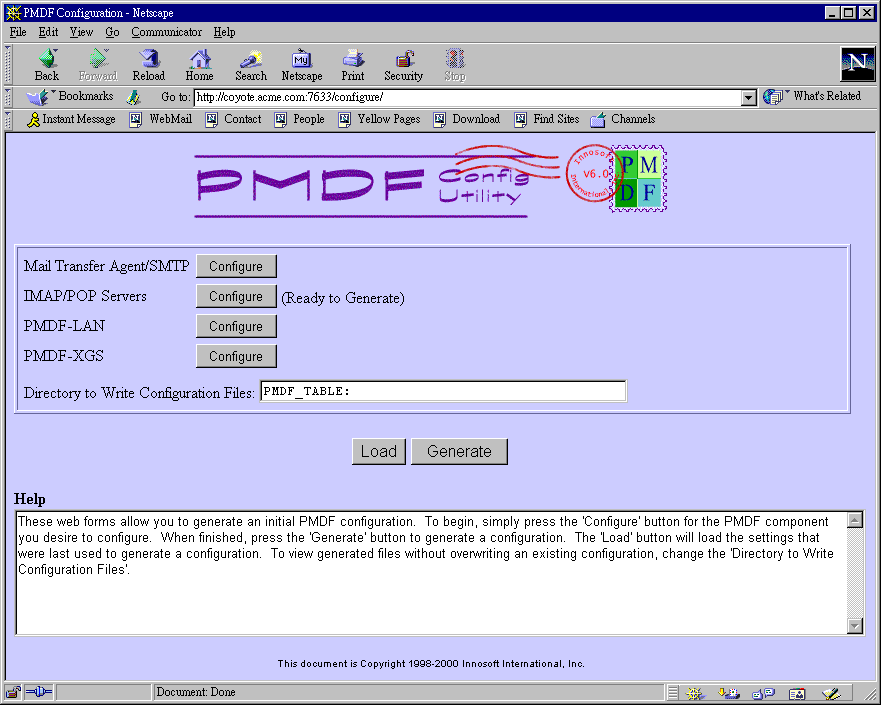
Figure 12-7 Generate files
Example 12-1 Sample Mailbox Servers configuration checklist file
$ TYPE PMDF_TABLE:mailbox_servers.checklist
This checklist was generated on Fri, 25 Feb 2000 14:36:17 -0800 (PST)
by the PMDF configuration generator V6.0-21.

(1) You have configured the MessageStore separately from the MTA.
    Therefore you have to verify that the MTA configuration file
    "PMDF_TABLE:PMDF.CNF" includes the rewrite-rules and channel
    definitions for the MessageStore / popstore:
    "PMDF_TABLE:MSGSTORE.RULES" and "PMDF_TABLE:MSGSTORE.CHANS".

(2) You need to set up a periodic job to prune the mail.log and connection.log
    files.  The amount and frequency of pruning that is appropriate depends on
    the amount of mail at your site.  If you fail to do so, your disk
    will eventually fill up and PMDF will cease to operate.

(3) With the number of IMAP sessions you plan to support, you need
    to make sure 603000 additional blocks of pagefile are
    available.  Note this number is a theoretical meximum; most systems
    will never need this unless the servers are all serving out the
    maximum size message at the same time to the maximum number of clients.

(4) If you have not already set up your MAIL$BATCH queue or added
    the PMDF startup procedures to your system startup, then be sure
    to do so.  Setting up MAIL$BATCH is crucial to the operation of
    PMDF.  Modifying the system startup can, of course, be done after
    you have verified the proper operation of PMDF.  Refer to the
    "Post-Installation tasks" section of the first chapter of the
    PMDF Installation Guide.

(5) If you have previously installed a POP and/or IMAP server from
    another vendor, you will have to uninstall it prior to using
    PMDF's servers.

(6) Any changes to existing configuration files may not be seen until
    you restart the Dispatcher with the command:
         $ PMDF RESTART DISPATCHER
                 for your node only, or

         $ PMDF RESTART/CLUSTER DISPATCHER
                 for all nodes in the cluster